Purpose: To provide IT staff with a standardized process for creating inventory labels for assets in EZOfficeInventory, including barcode generation and label protection.
Scope: This procedure applies to all IT-managed assets that require physical inventory labels, including computers, mobile devices, and smart docks.
Prerequisites:
Access to EZOfficeInventory;
Premium Label Supply 3"x1" labels and lamination sheets
Word template for labels (available at https://www.premiumlabelsupply.com/templates/pls228/ or on SharePoint);
Printer for labels;
Barcode generator (EZOfficeInventory or https://barcode-maker.com/).
Procedure:
✅ Step 1: Prepare Label Materials - Use Premium Label Supply 3"x1" labels and matching lamination sheets for durability. - Download the Word template from Premium Label Supply or retrieve it from SharePoint.
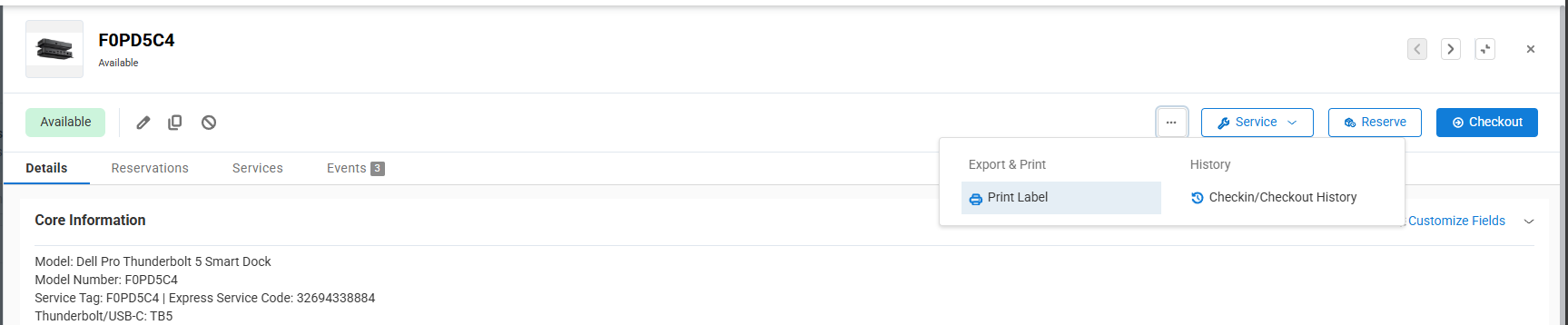
✅ Step 2: Generate Barcode - Each asset requires a Code128A barcode with a human-readable number. - In EZOfficeInventory, open the asset, click the three-dot menu, and select Print Label to generate the barcode automatically.
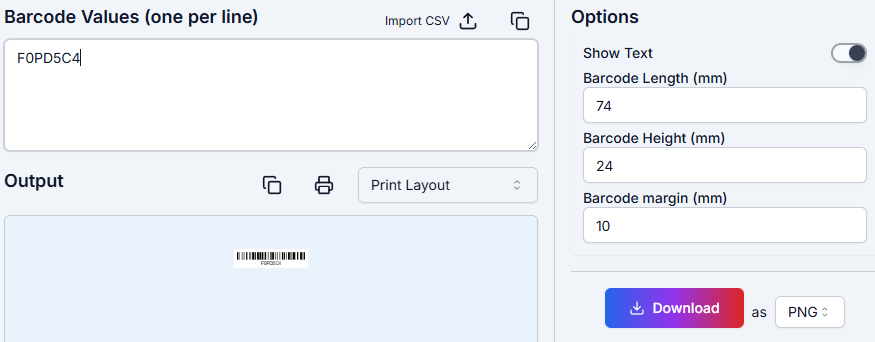
Alternatively, use https://barcode-maker.com/ to create a barcode: Select Code128A format; Set size to 74mm x 24mm for optimal fit in the Word template; Download the barcode image for insertion into the template.
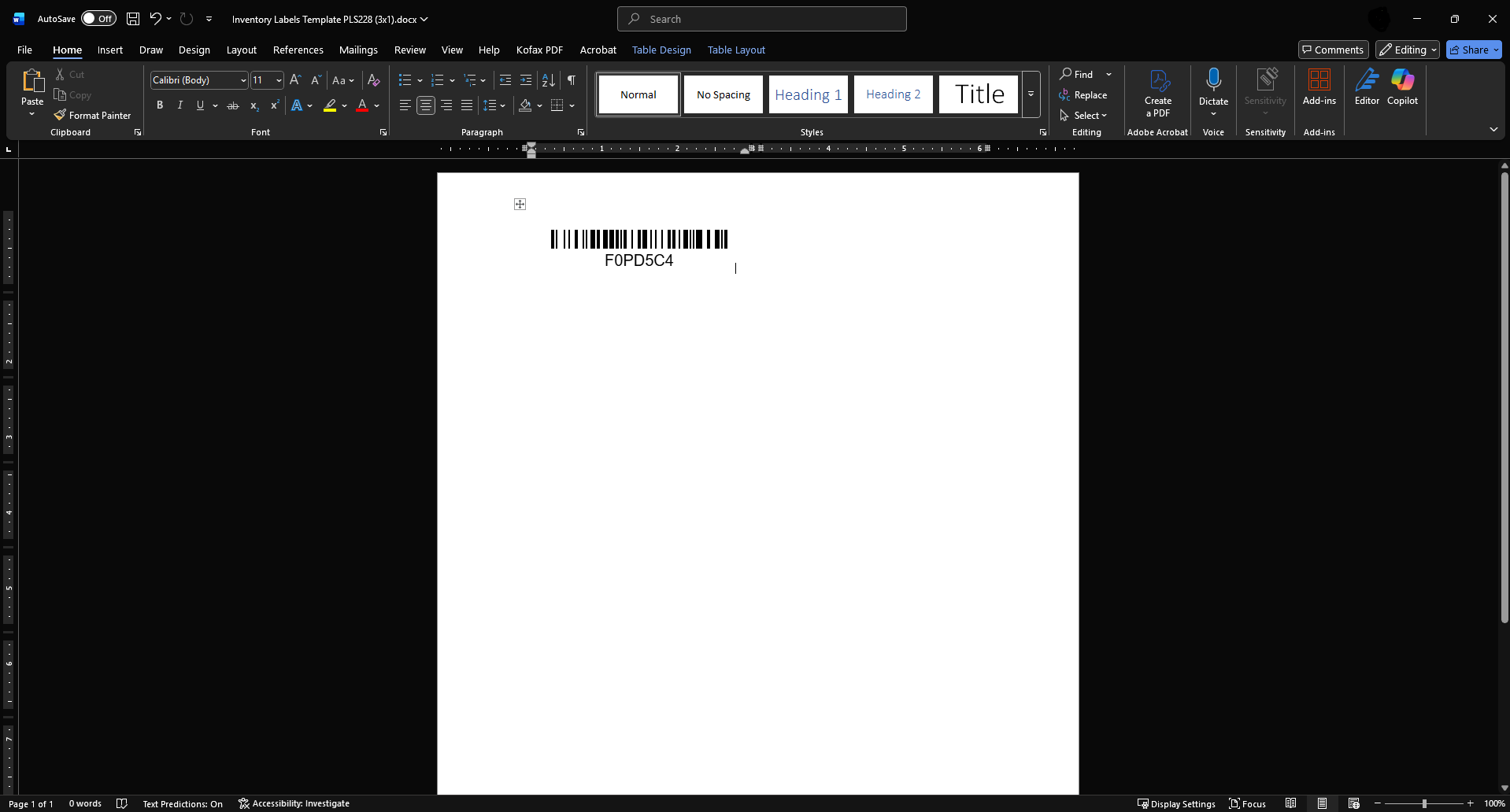
✅ Step 3: Insert Barcode into Label Template - Open the Word template from Premium Label Supply. - Insert the barcode image into the designated area on the label.
✅ Step 4: Print, Apply, and Laminate - Print the label on Premium Label Supply sheets. - Apply the label to the asset in a visible location: Computers: Underside or near keyboard; Mobile Devices: Back of the device; Smart Docks: Bottom or side of the dock. - Apply the lamination layer over the label for protection.
Was this article helpful?
That’s Great!
Thank you for your feedback
Sorry! We couldn't be helpful
Thank you for your feedback
Feedback sent
We appreciate your effort and will try to fix the article